By EEDIY Team. Difficulty ★★ · About 30 minutes · Do the LED blink post first
We’ll use the TMP235, a small analog temperature sensor from Texas Instruments. Its output voltage rises as the temperature rises, and the ESP32 measures that voltage and converts it to °C.
What you need
ESP32 board (already set up in Arduino IDE)
1 TMP235 analog temperature sensor (a breadboard-friendly package or breakout board)
Breadboard and 3 jumper wires
Words to know
Analog input / ADC: a pin that measures a voltage instead of just on or off.
mV: millivolt, one thousandth of a volt.
How the sensor works (the only maths)
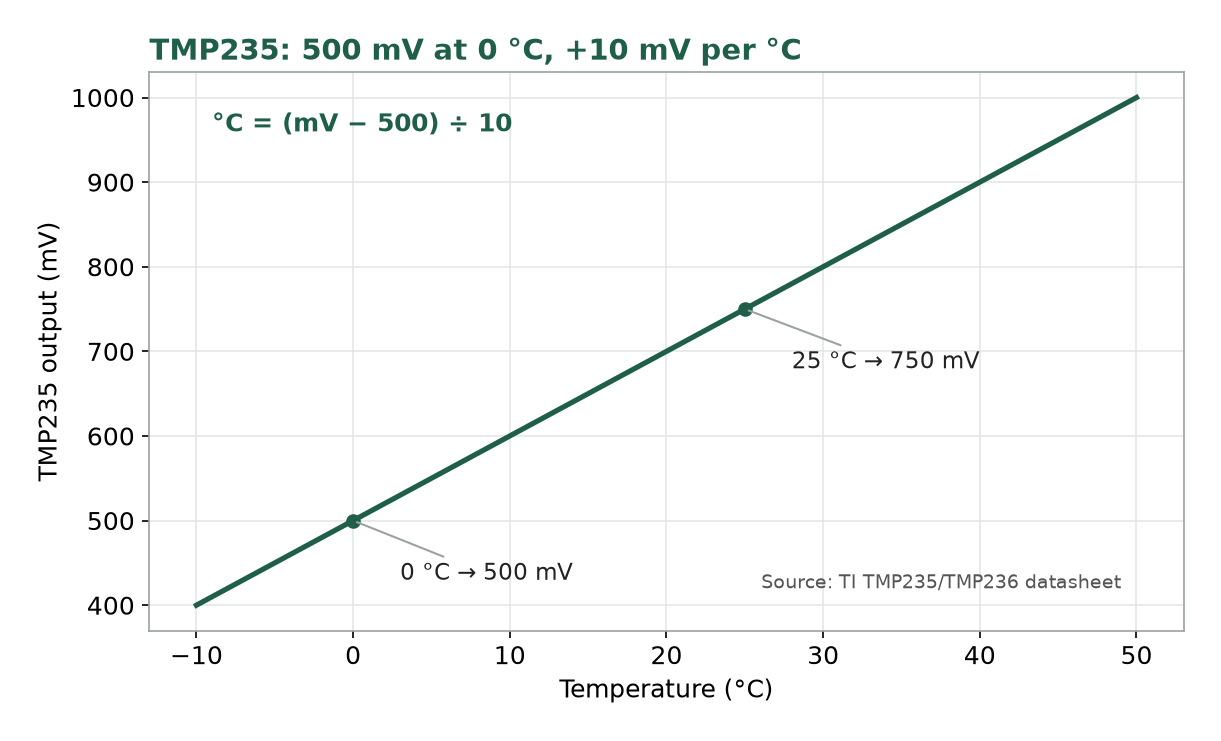
From the TMP235 datasheet: the output is 500 mV at 0 °C and rises 10 mV for every 1 °C. So:
Temperature (°C) = (output mV − 500) ÷ 10
Example: 750 mV gives (750 − 500) ÷ 10 = 25 °C.
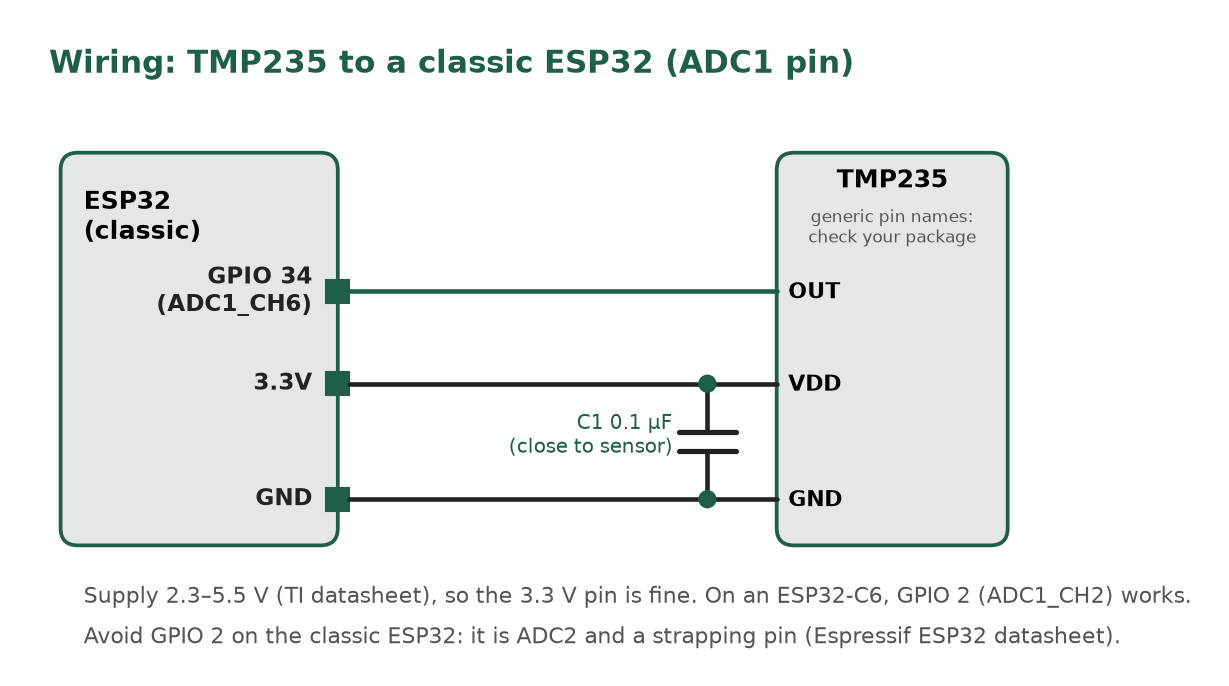
The TMP235 runs from a 2.3 V to 5.5 V supply, so the ESP32’s 3.3V pin works.
Step 1: Wire it
Check the pinout in the datasheet (or on your breakout board) for VDD, GND and OUT.
VDD to the ESP32’s 3.3V pin.
GND to GND.
OUT to an analog-capable GPIO (check your board’s pinout). On a classic ESP32, use an ADC1 pin such as GPIO 34 (ADC1_CH6). Avoid GPIO 2 on the classic ESP32: it’s an ADC2 pin and a strapping pin. On an ESP32-C6, GPIO 2 is fine (ADC1_CH2, not a strapping pin).
Optional but recommended: TI strongly recommends power-supply bypassing. Put a 0.1 µF capacitor between VDD and GND, close to the sensor.
Step 2: Upload the sketch
const int SENSOR_PIN = 34;  // classic ESP32: an ADC1 pin like GPIO 34. ESP32-C6: GPIO 2 (ADC1_CH2)
void setup() {
  Serial.begin(115200);
}
void loop() {
  int mv = analogReadMilliVolts(SENSOR_PIN);   // reading in millivolts
  float tempC = (mv - 500) / 10.0;             // TMP235 formula
  Serial.print(mv); Serial.print(" mV  ->  ");
  Serial.print(tempC); Serial.println(" C");
  delay(1000);
}
analogReadMilliVolts() is part of Arduino-ESP32 and returns the pin voltage in millivolts.
Step 3: Watch the reading
Open the Serial Monitor and set it to 115200 baud.
Expected result
A new line every second, showing something close to room temperature. Pinch the sensor gently between your fingers and the number should rise slowly.
Common mistakes
Problem
Fix
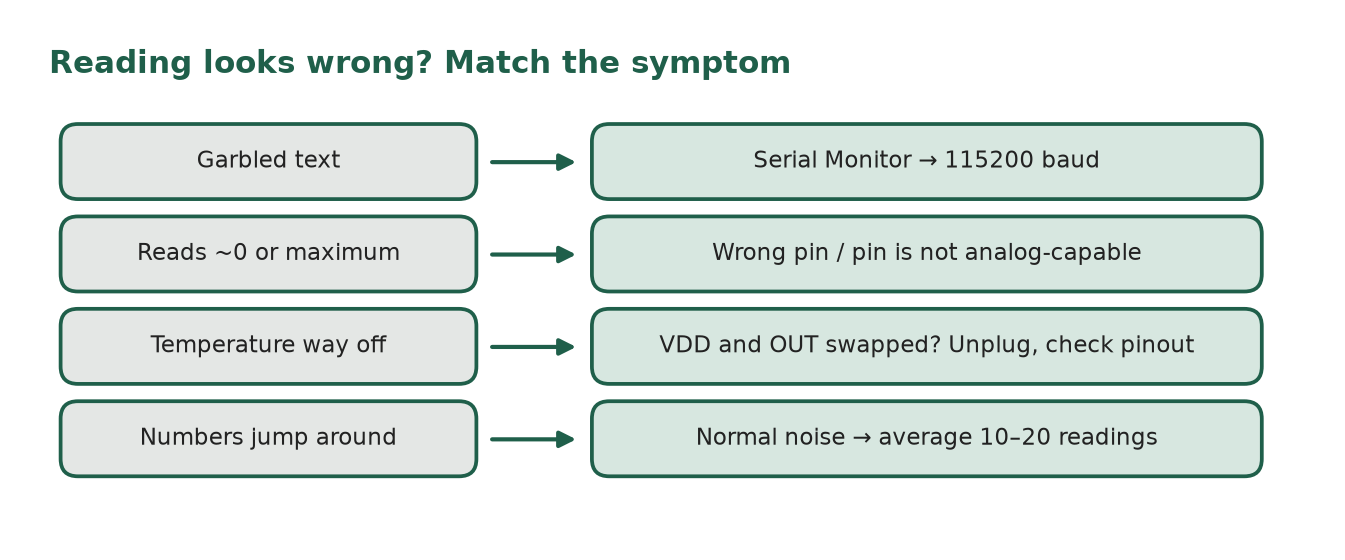
Garbled text
Set the Serial Monitor to 115200 baud. A few garbage characters right after reset are normal
Reading near 0 or the maximum
Check the wiring; you may be using the wrong pin or a pin that isn’t analog-capable
Temperature way off
VDD and OUT may be swapped. Unplug first, then check the pinout. Wiring it wrong can damage the sensor
Numbers jump around
Normal for a little noise. Average 10–20 readings
ADC tip: the TMP235 output stays under about 1.3 V across normal room temperatures, so a lower attenuation setting (analogSetAttenuation()) can improve resolution. The measurable range for each setting differs by chip; see the tables in the Arduino-ESP32 ADC docs.
Next step
Show the reading on a web page over Wi-Fi (coming soon).